
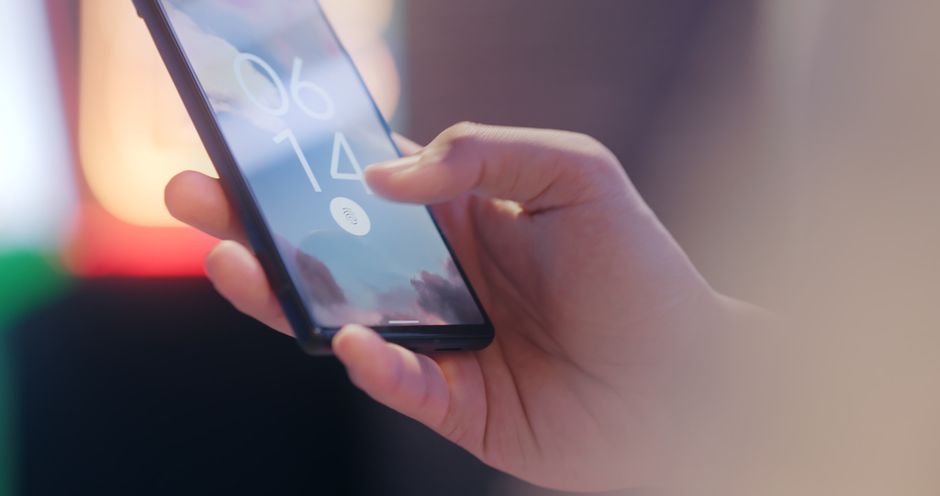
You are standing at a hotel check-in counter, phone in hand, trying to log into your email to find the reservation. The app wants your password. You don't remember it — you never did, really, because it lives in a password manager on your other device, the one still charging in the car. So you tap "Forgot password," wait for a reset link, invent yet another combination of a capital letter and a number and a symbol, and promise yourself you'll write it down this time. You won't.
This small, daily friction is exactly the problem passkeys were built to erase. If you have signed into a website lately by just glancing at your phone or touching a fingerprint sensor — no typing, no "8 characters minimum" — you have already used one. The technology is quietly spreading across the accounts you use most, and 2026 is the year it stopped being an experiment and started becoming the default.
A passkey is less like a secret you memorize and more like a key that only fits one lock and can't be copied.
What a passkey actually is
When you create a passkey for a website, your device generates a matched pair of cryptographic keys. One is private and never leaves your phone, laptop, or security key — it stays locked behind your Face ID, fingerprint, or device PIN. The other is public, and the website keeps it. Think of the public key as a padlock the site hangs on your account, and the private key as the only thing shaped to open it.
To sign in, the website sends a challenge. Your device uses the private key to answer it, but only after you approve with a biometric or PIN. The site checks the answer against the public key it stored, and you're in. Crucially, the private key is never transmitted — it just proves it exists by solving the puzzle. There is no shared secret sitting in a database waiting to be stolen.
That single design choice fixes the deepest flaw of passwords. A password is a secret you and the website both have to know, which means it can be guessed, reused, leaked in a breach, or typed into a convincing fake login page. A passkey has none of those weak points, because the useful half of it never leaves your hands.
Why this beats a password you thought was strong
Most people assume a "strong" password — long, random, unique — is good enough. It genuinely helps, but it still shares a fatal habit with a weak one: you can be tricked into giving it away. Phishing doesn't care how long your password is. If an email lures you to a lookalike site and you type the password in, length is irrelevant; the attacker now has it.
Passkeys are effectively phishing-proof by construction. Your device ties each passkey to the exact web address it was created for. If you land on paypa1-login.com instead of the real domain, your phone simply won't offer the passkey — there's nothing to type, so there's nothing to hand over by mistake. The protection isn't your alertness; it's the plumbing.
The numbers reflect this in a way businesses notice. Industry data through 2026 puts passkey sign-in success rates around 93%, compared to roughly 63% for traditional password logins that get tangled in resets and lockouts. Fewer failed logins means fewer "forgot password" emails, fewer support tickets, and fewer abandoned checkouts. When a security upgrade also makes the everyday experience faster, adoption tends to take care of itself.
The 2026 reality: mainstream, but not universal
Passkeys are no longer a niche feature for the security-conscious. Apple, Google, and Microsoft now support them across their platforms, and by 2026 more than 15 billion online accounts are eligible to use one. Awareness has caught up too: surveys suggest around 90% of people recognize the term, roughly three in four have enabled a passkey somewhere, and nearly half now reach for a passkey as their normal way to sign in whenever a site offers it.
The supported devices cover almost anything bought in the last few years — iOS 16 and later, Android 9 and later, macOS Ventura and later, and Windows through Windows Hello. Your passkeys sync within an ecosystem, so a passkey made on your iPhone shows up on your iPad and Mac automatically, and the same holds inside Google's world.
Still, honesty matters here: passwords are not dead. A large share of organizations — well over half by some measures — still run phishable logins as their primary method, especially in legacy systems, regulated industries, and the long tail of smaller services that haven't built passkey support yet. Passwords keep one unbeatable advantage: they work everywhere, for everyone, with zero setup. That's enough to keep them alive for years, running in parallel while the world migrates.
The honest rough edges
The friction people actually hit is moving between ecosystems. A passkey born on an iPhone doesn't automatically appear on a Windows laptop, because the two don't share a sync system. The FIDO Alliance has been building a credential-exchange standard to make passkeys portable between platforms and password managers, and third-party managers like 1Password and Bitwarden already store passkeys that follow you across devices — but "just works everywhere" isn't fully here yet.
There's also the very reasonable worry: what if I lose my phone? This is where the mental model shifts. Passkeys are usually backed up to your platform account (iCloud Keychain, Google Password Manager) or your chosen password manager, so a new device restores them the same way it restores your photos. The practical advice is simple:
- Register a passkey on more than one device where you can — a phone and a laptop, say.
- Keep your platform or password-manager account itself well protected, since it's now the master key.
- Don't delete your old password on important accounts the day you add a passkey; leave it as a fallback until you trust the setup.
That last point is the calm way to adopt this. You are not ripping out the old lock — you are adding a much better one and keeping the spare key in a drawer for a while.
How to try one in the next five minutes
You don't need to overhaul your whole digital life. Pick one account you sign into often and that already supports passkeys — Google, Apple, Microsoft, Amazon, and PayPal are good starting points. In the account's security settings, look for "Passkeys" or "Sign in with a passkey," and follow the prompt. Your device will ask for Face ID, a fingerprint, or your PIN, and that's it — the passkey is created.
The next time you log in, notice what's missing: no password field, no autofill fumbling, no second-factor code arriving by text. You look at your phone, and you're in. Do this with two or three accounts over a week and the habit forms on its own, because the new way is genuinely less annoying than the old one.
The bigger shift underneath all this is philosophical. For thirty years, security asked ordinary people to behave like security experts — to invent, memorize, and rotate secrets, and to never be fooled. Passkeys quietly give up on that impossible ask and move the hard part into the device, where it belongs. You get to go back to being a person who just wants to check their email at a hotel counter.
You won't replace every password overnight, and you shouldn't try. But each account you upgrade is one fewer secret that can be stolen from you, and one less thing to remember at the worst possible moment. Start with one this week. Your future self, standing at some counter with a nearly dead phone, will thank you.

Comments 0