
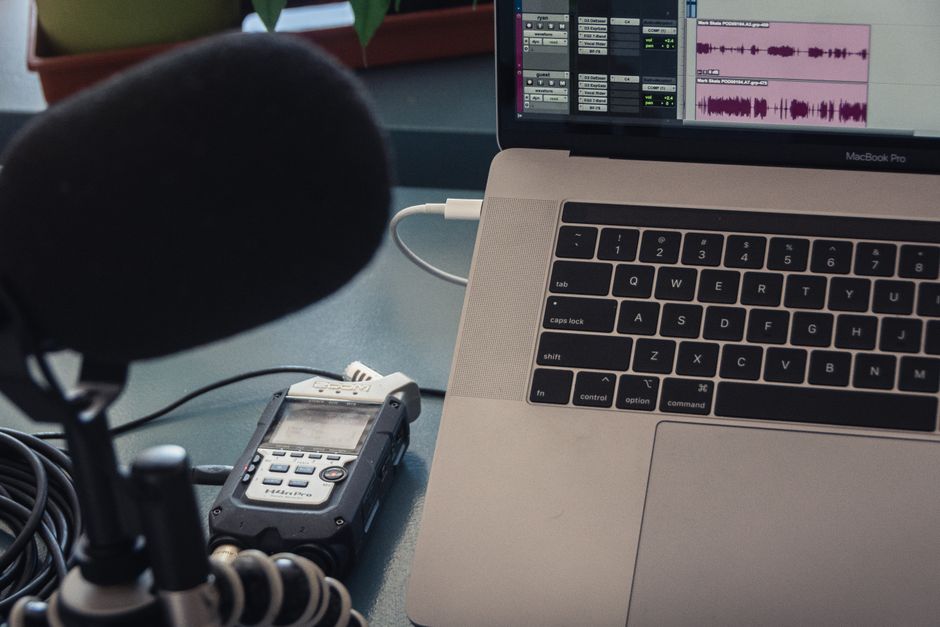
You get out of a 45-minute meeting and realize you were so busy talking that you wrote down almost nothing. Two decisions got made, three tasks landed on your plate, and someone promised to "circle back" on the budget. By the time you sit down to write it all up, half the details have already gone fuzzy. This is the exact gap that AI note-takers are built to close, and in the last two years they have gone from novelty to something a lot of teams now treat as default.
But "AI note-taker" hides a lot of complexity. Some tools quietly join your call as a bot. Some run entirely on your own laptop. Some are astonishingly accurate; others turn "our Q3 forecast" into "our cue three forecast." And nearly all of them raise a question people are only starting to take seriously: who else can hear this? Here is how these tools actually work, how to pick one, and what to watch out for before you let software listen to every word you say.
What actually happens when a bot "takes notes"
Under the hood, an AI note-taker is really two systems stitched together. The first is speech-to-text, also called automatic speech recognition. It converts the raw audio of your meeting into a written transcript, usually in near real time. Modern engines have gotten fast enough to caption live conversation with latency low enough that the text appears almost as you speak, and they can tell speakers apart — a feature called speaker diarization — so the transcript reads like a script rather than one long block.
The second system is a large language model that reads the finished transcript and pulls structure out of it: a short summary, the decisions that were made, and a list of action items with who owns each one. This is the part that feels like magic, because it is doing something a human assistant would do — skimming a wall of text and answering "so what do I actually need to remember?" The quality of this step varies a lot between tools, and it is often where the real difference in usefulness lives.
A transcript tells you what was said. A good summary tells you what to do about it. The gap between those two is the whole product.
Accuracy has climbed sharply. Newer transcription models have pushed word error rates below 4% in clean conditions, and per-minute costs have dropped to fractions of a cent, which is why so many apps can now offer generous free tiers. In practice, leading tools reach roughly 90–95% accuracy when the speech is clear, the microphone is decent, and background noise is low. Change any of those conditions — a crosstalk-heavy standup, a bad phone connection, heavy accents the model wasn't trained on — and accuracy drops in ways you should plan around.
The three flavors you'll actually encounter
Most tools fall into one of three buckets, and knowing which one you're looking at tells you most of what you need.
The first is the auto-joining bot. You connect your calendar, and a little participant with a name like "Notetaker" shows up in your Zoom, Google Meet, or Teams call, records it, and emails you a summary afterward. This is the most frictionless option and the reason category leaders became popular — you set it up once and forget it. The tradeoff is that a bot silently sitting in a call is exactly the thing that makes other participants uneasy.
The second is the all-in-one workspace tool: record, transcribe, summarize, and search across every meeting you've ever had, often bundled with a monthly subscription somewhere in the range of a typical software app. These lean into workflow — connecting notes to your task manager, letting you ask questions across months of transcripts, and turning your meeting history into a searchable knowledge base.
The third, and the one privacy-minded users increasingly gravitate to, is local or on-device transcription. Instead of uploading your audio to a cloud server, these tools run an open speech model directly on your machine. Developer-facing options price transcription at a fraction of a cent per minute through an API, and some desktop apps record without ever placing a bot in the call. The upside is that the conversation never leaves your computer; the tradeoff is usually a bit more setup and, sometimes, a bit less polish in the summaries.
How to choose without overthinking it
Start with a blunt question: do you need a searchable archive, or do you just need today's notes? If your meetings compound — client calls, recurring projects, decisions you'll need to cite in three months — an all-in-one tool with strong search earns its subscription. If you mostly want to walk out of a meeting with a clean summary, a lighter tool or even a local recorder will do the job for less.
Next, weigh convenience against comfort. Auto-joining bots are the least effort for you and the most visible to everyone else. If your calls involve clients, candidates, or anyone outside your company, the bot's presence becomes a conversation you have to have — which is not a reason to avoid it, just a reason to be upfront. For sensitive internal discussions, a bot-free or on-device option spares you that friction entirely.
Finally, test on a real meeting before you commit. Run a trial on your actual worst-case call — the noisy one, the one with five people talking over each other — and read the summary critically. Ask yourself three things:
- Did it get the decisions right, or just the chatter?
- Are the action items assigned to the correct people?
- Would you trust this summary enough to forward it without editing?
If the answer to the last one is no, you don't have a note-taker yet; you have a rough draft that still needs your attention.
The consent problem nobody wants to talk about
Here's the part that gets glossed over in feature comparisons. An AI note-taker is a recording device, and recording people has rules — legal ones and social ones. Several high-profile tools have faced lawsuits alleging they captured voice data or recorded private conversations without clear consent. Whether or not those cases succeed, they point at a real risk: the person who deployed the bot is usually the one holding the liability.
The safe default is embarrassingly simple: tell people they're being recorded, before the recording starts. In many places one-party consent is enough legally, but plenty of jurisdictions require everyone on the call to agree, and the legal map is not something to guess at. Beyond the law, there's basic trust. A candidate who discovers mid-interview that a bot has been transcribing them is going to feel differently about your company, regardless of what the statute says.
The tool that quietly records everything is convenient right up until the moment someone asks, "wait, is this being saved?"
Two habits cover most of the risk. First, treat the transcript as a document that can outlive the meeting — it can be subpoenaed, forwarded, or leaked, so don't let people say things into it they wouldn't put in an email. Second, check where your provider stores audio and whether it trains models on your conversations; the privacy-first tools that keep data on-device or promise never to train on your content exist precisely because this matters to a growing number of users.
The bottom line
AI note-takers solve a genuine problem: the mental tax of trying to participate in a conversation and document it at the same time. The technology underneath — fast speech-to-text feeding a language model that summarizes — is now good enough that the transcript and the action items are usually worth having. Choosing well comes down to matching the tool to your situation: a searchable archive if your meetings compound, a lighter or local option if privacy and simplicity matter more, and always a real-world test before you trust it.
Just don't let the convenience outrun the courtesy. The best setup is one where the software does the tedious remembering, and you still do the honest thing — telling the room it's on. Get that balance right, and you'll walk out of your next meeting with your attention intact and your notes already written.
Comments 0