
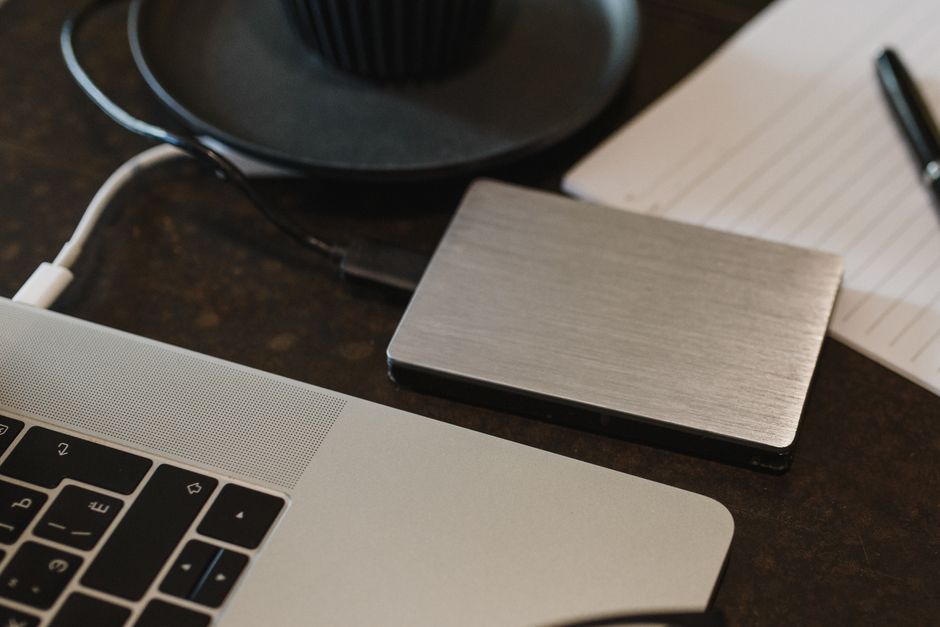
There's a specific kind of silence that follows a hard drive dying. You press the power button again. You unplug it, wait, plug it back in. You Google the exact clicking sound it just made, already knowing what the search results will say. Somewhere on that drive were three years of photos, the tax documents you told yourself you'd organize, and the only copy of a project you'd poured months into. Now there's nothing but a device that costs money to maybe recover and a lesson learned far too late.
Almost everyone has a version of this story, or knows someone who does. The frustrating part is that the fix has been well understood for decades, costs very little, and takes an afternoon to set up. It's called the 3-2-1 backup rule, and once you understand the logic behind it, you'll never look at a single "backup" folder the same way again.
The rule in one sentence
The 3-2-1 rule says: keep three copies of your data, on two different types of media, with one copy stored off-site.
That's it. Every part of the rule exists to kill a specific way that data dies, and understanding why each number is there matters more than memorizing the numbers.
A backup isn't a copy you have. It's a copy that survives the exact disaster you weren't planning for.
The "three copies" includes your original. So it's your working file plus two backups — not three backups on top of the original. People trip on this constantly and end up with fewer real copies than they think.
The "two different media" part is the one most people skip, and it's the cleverest part of the whole rule. If both your backups live on two external drives from the same brand, bought on the same day, they can fail from the same manufacturing defect or the same power surge. Spreading copies across different technologies — an internal SSD, an external hard drive, a cloud service — means no single type of failure can take everything at once.
The "one off-site" copy handles the disasters that don't care how many drives you own: a house fire, a flood, a burglary, or a spilled cup of coffee that somehow reaches two devices sitting side by side on the same desk. If every copy is in the same room, they share the same fate.
Why three, specifically
It's tempting to think one good backup is enough. Here's the math that says otherwise. Suppose any given drive has a small chance of failing in a given year — say, roughly one in twenty for a consumer hard drive under normal use. With one backup, the odds that both your original and your backup fail in the same window are small but real, and they climb the longer you go without checking them.
The problem is that failures aren't always independent. The moment you plug in your backup drive to restore from a dead original is exactly the moment of peak stress on that second drive — and it's often an old drive you haven't touched in a year. A frightening number of people discover their backup is also dead precisely when they finally need it.
Three copies buys you margin. If one fails, you still have a valid backup while you rebuild the redundancy. You're never one bad moment away from zero. Think of it like a spare tire: you don't drive on the spare forever, you use it to get to safety and replace what you lost.
The upgrade nobody told you about: 3-2-1-1-0
The classic rule was designed for a world where the main threats were hardware failure and physical disaster. In 2026, the biggest threat to most people's data is something the original rule never anticipated: ransomware that deliberately hunts down and destroys your backups first.
Modern attackers understand the 3-2-1 rule better than most users do. Before they encrypt your working files, they look for connected backup drives and network shares and wipe those too, so that "just restore from backup" isn't an option. A backup that's plugged in and writable is a backup an attacker — or a piece of malware acting on your behalf — can delete.
That's why security professionals now talk about 3-2-1-1-0:
- The extra 1 is one copy that is immutable or air-gapped — meaning it physically or logically cannot be changed or deleted, even by someone with full access to your machine. An external drive you unplug after each backup is a poor-man's air gap. A cloud service with "object lock" or versioning that can't be overridden is the more robust version.
- The 0 stands for zero recovery errors — you have actually tested restoring your files and confirmed they open. An untested backup is not a backup; it's a hope.
You don't need enterprise gear to adopt the spirit of this. Unplugging your backup drive when you're done, and turning on version history in whatever cloud service you use, gets a home user most of the way there.
What this looks like for a normal person
Enterprise backup environments can run hundreds to thousands of dollars a month; a serious business protecting many terabytes might spend a few thousand a year, which sounds like a lot until you compare it to the cost of losing everything. But you almost certainly don't need any of that. Here's a version that fits an ordinary life and costs very little:
| Copy | Where it lives | What failure it survives |
|---|---|---|
| 1 — Original | Your laptop or phone | This is your working data |
| 2 — Local backup | External hard drive or SSD | Your main device dying or getting stolen (if not together) |
| 3 — Off-site | A cloud backup service | Fire, flood, theft, ransomware |
The local backup can be as simple as your operating system's built-in tool — Time Machine on a Mac, File History on Windows — pointed at a cheap external drive. Set it to run automatically so you don't rely on remembering. The off-site copy is a cloud service that continuously syncs in the background. Consumer cloud backup and storage plans typically run a handful of dollars a month for the space most households need, which is a rounding error against the value of what's on your devices.
The best backup system is the boring one that runs by itself while you forget it exists.
The single most common mistake here is treating a sync service like a backup. If a folder syncs both directions and you (or ransomware) delete a file, the deletion syncs everywhere too — the "backup" faithfully erases itself to match. Real backup keeps old versions and doesn't let a deletion on one device silently wipe the others. Check whether your service keeps version history; most good ones do, but it's often off by default.
The step everyone skips: actually test it
Here is the uncomfortable truth behind the "0" in the modern rule. The overwhelming majority of people who "have backups" have never once tried to restore from them. They assume the green checkmark means everything is fine.
Set a reminder — twice a year is plenty for personal use — to do a real fire drill. Pick a file, delete it (or pretend it's gone), and restore it from each of your backups. Open it. Make sure it's actually the current version and not a corrupted or months-old copy. This takes ten minutes and is the only thing that converts a theoretical backup into a real one. If the restore fails, you'd much rather learn that on a quiet Tuesday than in the aftermath of a crash.
While you're at it, glance at whether your automated backups are still running. Drives fill up, cables come loose, cloud subscriptions lapse, and software silently stops. A backup that quietly stopped working three months ago is the cruelest kind of failure, because you'll trust it right up until the moment it lets you down.
Start with fifteen minutes today
You don't have to build the perfect system this weekend. The gap between zero real backups and one automated off-site backup is enormous — far bigger than the gap between one and three. So start there.
Turn on your computer's built-in backup and point it at any external drive you already own. Sign up for one cloud backup service and let it run overnight. That alone moves you from "one drive away from disaster" to genuinely protected against the most common catastrophes. Then, when you have another afternoon, add the second local copy, unplug one drive to create your air gap, and do your first restore test.
Data loss almost never feels urgent — right up until the exact second it becomes the only thing that matters. The 3-2-1 rule works because it assumes things will go wrong: drives die, laptops get stolen, houses flood, and software turns hostile. Build the boring, automatic, redundant system now, while everything is fine, and future-you gets to treat a dead hard drive as a mild annoyance instead of a tragedy.
That clicking sound will still be awful. But it'll just mean you need a new drive — not that you lost a piece of your life.

Comments 0