
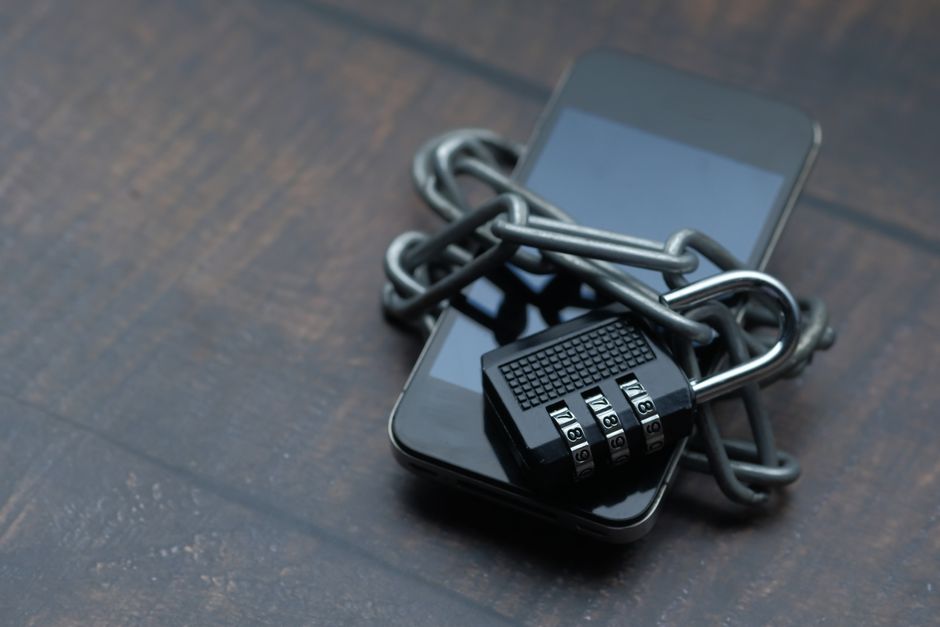
You reach for your phone, glance at the screen, and you're in. No typing a 14-character string you half-remember, no "reset your password" email, no little padlock icon judging you for reusing the same word you've used since college. That small moment — logging in with a face scan or a fingerprint instead of a password — is the front edge of one of the biggest quiet shifts in how the internet works.
It's called a passkey, and if you've signed into Google, Apple, Amazon, or your bank recently, there's a good chance you've already used one without fully registering what happened. This is the plain-English guide to what passkeys are, why they're spreading so fast, and how to start using them without getting locked out of your own accounts.
A passkey isn't a better password. It's the thing that makes passwords unnecessary.
The problem passkeys were built to kill
Passwords have one fatal design flaw: the same secret that lets you in can let anyone in. If a thief learns your password — by guessing it, phishing it, or buying it in a leaked database — there's nothing physically stopping them from typing it on the other side of the world. The knowledge is the key, and knowledge copies perfectly.
That flaw shows up everywhere in the numbers. The overwhelming majority of hacking-related breaches still trace back to stolen or weak credentials, and phishing works precisely because a convincing fake login page can harvest a real password in seconds. We've spent two decades patching over this: password managers, complexity rules, "don't reuse passwords" lectures, and finally two-factor codes texted to your phone. Each patch helped a little and annoyed users a lot.
Here's the tell that the old model is broken: even careful people lose. You can pick a strong, unique password and still hand it to a scammer who spoofed your bank's website well enough to fool you at 11pm. Passkeys attack the root cause instead of the symptoms — they get rid of the shared secret entirely.
How a passkey actually works (without the cryptography headache)
When you create a passkey for a site, your device generates two mathematically linked keys. One is private and never leaves your phone, laptop, or hardware key. The other is public, and it gets handed to the website to store. Think of the public key as a padlock the site keeps, and the private key as the only key that opens it — a key that physically stays in your pocket.
To log in, the website sends your device a random challenge. Your device uses the private key to sign that challenge, and sends back the signature. The site checks the signature against the public padlock it stored. If it matches, you're in. Crucially, the private key itself is never transmitted, so there's nothing for a network eavesdropper to steal and nothing for the website's database to leak. A breach of the company's servers exposes a pile of useless public padlocks.
Two things unlock the private key so it can sign: a local gesture (your fingerprint, face, or device PIN) and the requirement that the request is actually coming from the real website's domain. That second part is the quiet superpower. A phishing site at a lookalike address literally cannot trigger your passkey, because the passkey is bound to the genuine domain. The scammer's fake page asks and gets nothing — you can't be tricked into "approving" a login for a site that isn't the real one.
Under the hood this runs on open standards — WebAuthn and the broader FIDO2 framework — supported natively in modern versions of iOS, Android, Windows, Chrome, Safari, and Firefox. You don't need to know those acronyms to use it, any more than you need to understand TCP/IP to load a web page.
Why this is happening now, and fast
Passkeys aren't a fringe experiment anymore. The FIDO Alliance's 2026 snapshot estimates roughly 5 billion passkeys in active use, with around 90% of consumers now aware of them and three-quarters of people having enabled at least one. On the business side, the majority of surveyed U.S. and U.K. companies report either deploying passkeys or actively planning to.
The reason it's accelerating is that passkeys are one of those rare security upgrades that's also more convenient — and companies noticed the metrics. In real deployments, login success rates climb sharply (one widely cited figure puts passkey sign-ins around a 93% success rate versus about 63% for traditional password-and-code flows) while password-reset support tickets fall. When the secure option is also the faster option and the one that generates fewer helpdesk calls, adoption stops being a hard sell.
A concrete example: a retailer that adds a passkey option at checkout typically sees fewer abandoned carts, because the person doesn't bounce off a forgotten-password wall at the worst possible moment. Fewer resets, more completed logins, less fraud. That's the kind of math that gets a feature shipped.
The honest downsides you should plan around
Passkeys are a real upgrade, but they're not magic, and pretending otherwise sets you up for a bad afternoon. The biggest practical question is recovery: if your private key lives on your devices, what happens when you lose your phone?
The answer for most people is that passkeys sync. Apple syncs them through iCloud Keychain, Google through its Password Manager, and third-party managers like 1Password and Dashlane sync across everything in between. So a new phone signed into the same account gets your passkeys back. But that also means your recovery is only as strong as the account guarding that sync — which is why protecting your Apple, Google, or Microsoft account with strong verification still matters enormously.
The other rough edge is the ecosystem seam. Signing in on a friend's Windows PC when your passkey lives on your iPhone works, but it usually means scanning a QR code to borrow your phone's key for that one session — smoother than it used to be, still an extra step. And not every website supports passkeys yet, so for now you'll live in a hybrid world: passkeys where you can, passwords-plus-2FA where you must.
Treat passkeys as your front door and your platform account as the deed to the house. Guard the deed.
How to start this week
You don't need to convert your whole life at once. The low-stress path is to add passkeys to your most important, most-supported accounts first and leave the rest for later.
Start with the big three — your Google, Apple, and Microsoft accounts — because they're both high-value and where passkeys are most polished. Dig into the security settings, look for "passkeys" or "sign in with your device," and follow the prompt; it usually takes under a minute per account. Then add your primary email (if it's separate), your password manager, and any bank or shopping site that offers it.
A few habits make the transition painless: keep your device's screen lock genuinely strong, since that gesture now guards your logins; make sure your platform account has recovery options set up before you need them; and don't delete your old password on a site the moment you add a passkey — keep it as a fallback until you're confident the new flow works everywhere you log in.
Here's the reassuring part. Passkeys were deliberately designed so the easy thing and the safe thing are finally the same thing. You're not trading convenience for security or memorizing yet another rule. You glance at your phone, and you're in — and the thing that used to be your weakest link simply isn't in the chain anymore. The password isn't dead yet, but for the first time it's clearly on its way out, and that's a change worth leaning into.



Comments 0